





Combine TradingView's advanced charting tools and 100-million-strong social network,¹ with Pepperstone’s cutting-edge execution technology and competitive pricing.
Why choose TradingView?
TradingView is known for its unbeatable charting tech and its supportive trading community, but that’s just part of its story. Choose TradingView to discover:

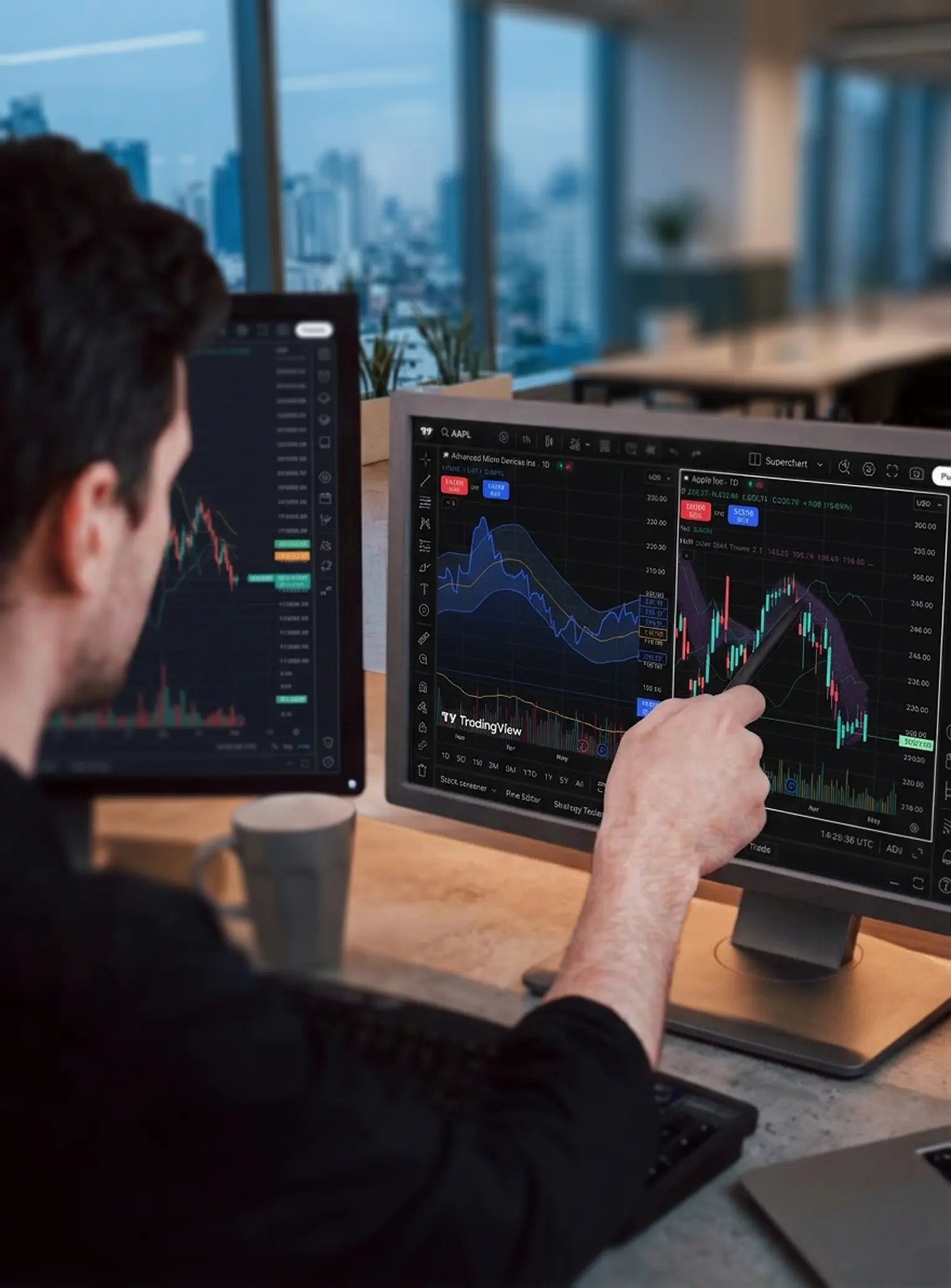
Discover Supercharts
Trade directly through charts including candlestick, Heikin Ashi and Renko, with multiple time frames and customisable themes.

Combine 400+ indicators and alerts
Spot opportunities by curating a range of intelligent indicators, and set alerts to receive notifications when specific conditions are met.
Discover Supercharts
Trade directly through charts including candlestick, Heikin Ashi and Renko, with multiple time frames and customisable themes.
Combine 400+ indicators and alerts
Spot opportunities by curating a range of intelligent indicators, and set alerts to receive notifications when specific conditions are met.
Combine 400+ indicators and alerts
Spot opportunities by curating a range of intelligent indicators, and set alerts to receive notifications when specific conditions are met.
Discover Supercharts
Trade directly through charts including candlestick, Heikin Ashi and Renko, with multiple time frames and customisable themes.

Learn from a vast social network
Get unique market insights and share ideas with the largest community of active traders and investors in the world.
Level up with the smartest tools
Use the screener to filter markets by multiple factors, practise with paper trading, or view full trading volumes at various price levels.
Learn from a vast social network
Get unique market insights and share ideas with the largest community of active traders and investors in the world.
Level up with the smartest tools
Use the screener to filter markets by multiple factors, practise with paper trading, or view full trading volumes at various price levels.
Level up with the smartest tools
Use the screener to filter markets by multiple factors, practise with paper trading, or view full trading volumes at various price levels.
Learn from a vast social network
Get unique market insights and share ideas with the largest community of active traders and investors in the world.
Why choose TradingView with Pepperstone?
We have 900,000 clients across 160 countries, with 12 global offices. As well as getting dedicated, local support, choose TradingView with Pepperstone to get:
Super-tight spreads
Starting from 0.0pts on FX CFDs and 0.08pts on Spot Gold CFDs (XAUUSD), with a Razor account.²
Fast, reliable execution
From 50 milliseconds, with a 99.32% fill rate and no dealer intervention.³
24-hour US share CFDs and spread bets
Spread bet and trade CFDs around the clock on key US equities.⁴
Two ways to trade
Trade CFDs or spread bet with our two flexible account types.
Super-tight spreads
Starting from 0.0pts on FX CFDs and 0.08pts on Spot Gold CFDs (XAUUSD), with a Razor account.²
Fast, reliable execution
From 50 milliseconds, with a 99.32% fill rate and no dealer intervention.³
24-hour US share CFDs and spread bets
Spread bet and trade CFDs around the clock on key US equities.⁴
Two ways to trade
Trade CFDs or spread bet with our two flexible account types.
Which Pepperstone account is compatible with TradingView?
You can choose to spread bet or trade CFDs via our Razor account (please note that TradingView is not available on our Standard CFD account). Here’s the difference between the two:
Spread betting
Speculate on price movements in either direction, with no tax or stamp duty to pay on any potential profits.6
Your stake is up to you, as you decide how much you want to bet per point of price movement. Our spread betting account is charged via spreads, and there is no commission to pay.
CFD Razor
Gain similar exposure to buying the underlying market outright, while only having to put down a fraction of the full value of your position.
A Razor account offers a raw spread + fixed commission pricing model on forex and Spot Gold (XAU/USD) for active traders. Get raw spreads from 0.0 on FX and 0.08 on XAU/USD, ³ alongside fixed, transparent commission from £2.25 per lot, per side.
How to get started
Create account
Open a live or demo account with Pepperstone, choosing TradingView as your preferred platform.
Choose Pepperstone
Log into TradingView, go to your trading panel and select Pepperstone.
Log in
Log into your Pepperstone secure client area and you’ll see a pop-up inviting you to connect to TradingView.
Approve access
Accept and you’ll be ready to trade!
Frequently asked questions
Visit TradingView's website and tap the ‘get started for free’ button.
You can trade via TradingView on our Razor account.
You can fund your TradingView account in the same way as any of our accounts. Log into your secure client area, and tap ‘deposit’ under the account you want to fund.
Information on funding and withdrawals can be found here.
You can trade on a demo account if your live application is pending. If a demo TradingView account has not been created for you during the account-application process, you can request one from your secure ‘my account’ area once logged in.
Make sure ‘demo’ is selected at the top, then click on the ‘add a trading account’ button. You can then select ‘TradingView’, choose your account type (spread betting or CFD Razor) and submit your request.
Log into TradingView and connect using the trading panel as you would a live account. We’ll let you know as soon as your live account it ready.
You might be interested in
Ready to trade better?
Switch to Pepperstone now and join our global community of over 900,000 traders.3 Apply in minutes with our simple application process.
Register
Sign up with your email address and get a free demo.
Answer
We’ll assess whether our products are appropriate for you.
Verify
Your safety is our top priority.
Fund
That's it! You're ready to trade.
Ready to trade with Pepperstone?
1Data sourced from tradingview.com/social-network/
2Razor account min spreads from 0 pips. Vary by instrument. Other fees & charges apply.
3Data sourced from the Pepperstone platform, correct as of 1 March 2026.
424-hour trading, 5 days a week on select US share CFDs and spread bets. For exact timings, please refer to the instrument specifications in your trading platform.